'%3e%3cdefs%3e%3clinearGradient%20id='light'%20gradientUnits='userSpaceOnUse'%20x1='0'%20y1='17.72'%20x2='0'%20y2='55.64'%3e%3cstop%20offset='0.0'%20stop-color='%23fff'%20stop-opacity='0.12'/%3e%3cstop%20offset='0.2'%20stop-color='%23fff'%20stop-opacity='0.06'/%3e%3cstop%20offset='0.4'%20stop-color='%23fff'%20stop-opacity='0.01'/%3e%3cstop%20offset='0.6'%20stop-color='%23000'%20stop-opacity='0.04'/%3e%3cstop%20offset='0.8'%20stop-color='%23000'%20stop-opacity='0.13'/%3e%3cstop%20offset='1.0'%20stop-color='%23000'%20stop-opacity='0.28'/%3e%3c/linearGradient%3e%3c/defs%3e%3cpolygon%20fill='%23ff5722'%20points='108.53,25.19%20118.03,17.72%20146.45,17.72%20146.45,55.64%20108.53,55.64'/%3e%3cpolygon%20fill='%23d94415'%20points='131.15,40.47%20131.15,55.64%20111.85,55.64'/%3e%3cpolygon%20fill='%23df4819'%20points='140.81,32.89%20146.45,28.46%20146.45,55.64%20131.15,55.64%20131.15,55.64%20140.81,48.05'/%3e%3cpolygon%20fill='url(%23light)'%20points='108.53,25.19%20118.03,17.72%20146.45,17.72%20146.45,55.64%20108.53,55.64'/%3e%3cpolygon%20fill='%23ffffff'%20points='121.52,32.89%20140.81,17.72%20140.81,48.05%20131.18,55.64%20131.18,32.89'/%3e%3cpolygon%20fill='%23e2e2e1'%20points='131.16,32.90%20140.78,32.90%20131.16,40.47'/%3e%3c/g%3e%3c/svg%3e)
VideoMonk
A monitor for any camera or capture card on your Mac.
Open videomonk.rh1.tech
- macOS 26+
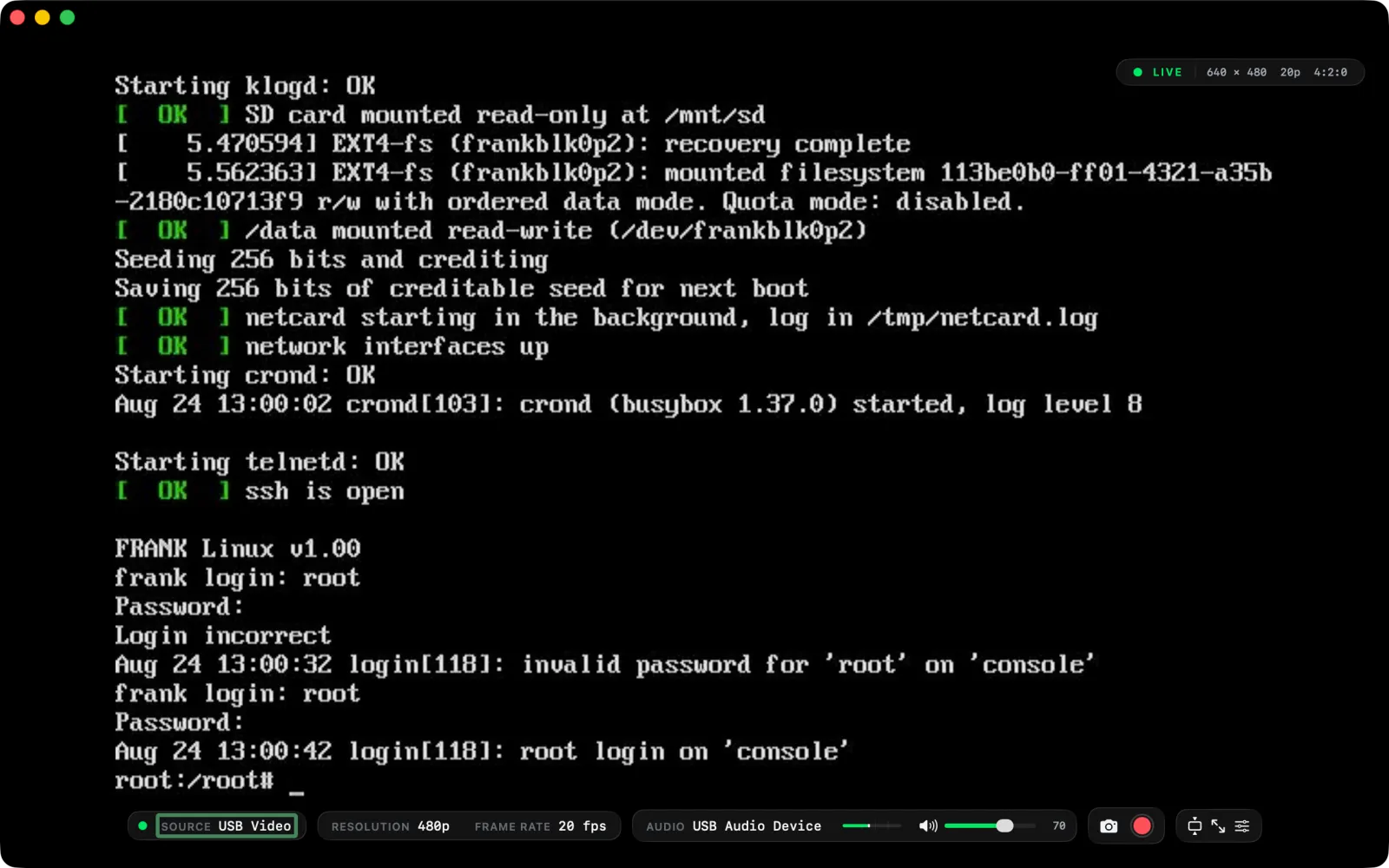
AnyCapture source
FullFormat control
AudioOn speakers
RecStills & video
Pick the resolution and frame rate the device actually reports, hear the audio on your speakers, grab stills and record when you need to.
macOS 26 or later.
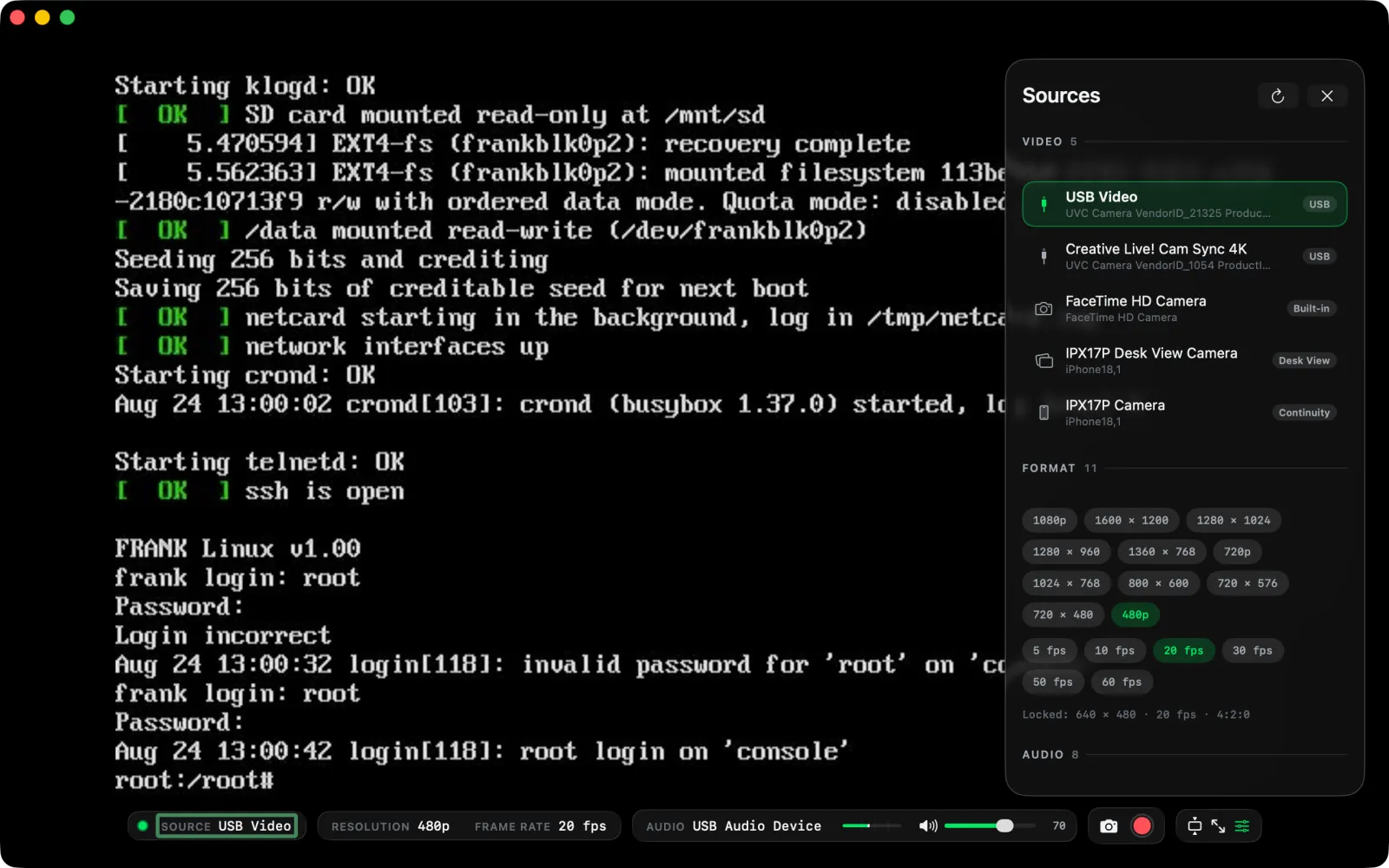
Every mode the device reports
Resolution and frame rate come from the hardware list — not a fixed “best guess” dropdown.
Survives unplugging
Pull the cable, plug it back — the session comes back without a restart.
Fit, fill, full screen
Sized to the source with a border when you need to see the true edges.
Controls that get out of the way
Everything on the bar has a key. The picture stays the point.